News website redesign checklist
Before choosing a theme or CMS, decide what must survive the redesign: your stories, their addresses, the newsroom’s workflow, and the tools readers use.
Start with the publishing problem
A news website redesign should begin with an archive inventory, a list of editorial tasks, and a written launch checklist. A better-looking homepage matters, but it will not resolve a newsroom’s difficulty updating stories or a reader’s difficulty finding previous coverage.
Name the problems before comparing platforms. Can editors prepare a story without developer help? Can readers find a show’s episodes? Do newsletter links reach the right article? Is the current system genuinely blocking that work, or would targeted changes solve it? The redesign-versus-improvement guide helps frame that decision.
The planning approach below is for publishers choosing a new site or rebuilding an existing one. It is separate from an ongoing SEO campaign. Our news publisher website development service scopes the reader experience, publishing system, and migration requirements together.
Inventory the archive before designing templates
Begin with a representative set of records: a recent story, an older story with images, a corrected article, a section page, an author page, and any events or episodes. Record what each requires to remain useful. An archive count alone will not reveal missing image credits or stories assigned to the wrong author.
Have the publication identify coverage that readers still rely on, pages linked from newsletters or other websites, and material that needs an editorial retention decision. Do not let a platform import silently decide what disappears. Google’s site-move guidance describes using sitemaps, analytics, logs, and link information to establish the existing URL inventory.
Use the planning worksheet to assign an owner and acceptance check for each task. Add one row per existing URL when preparing the actual migration map; the downloadable checklist is a starting template, not a crawl of your publication.
Define what each content type needs
In the LebanonMoNow project, the documented scope includes news and community stories, events, original shows, episodes, and a custom editorial CMS. That is a useful example of why every item should not be forced into one generic blog template.
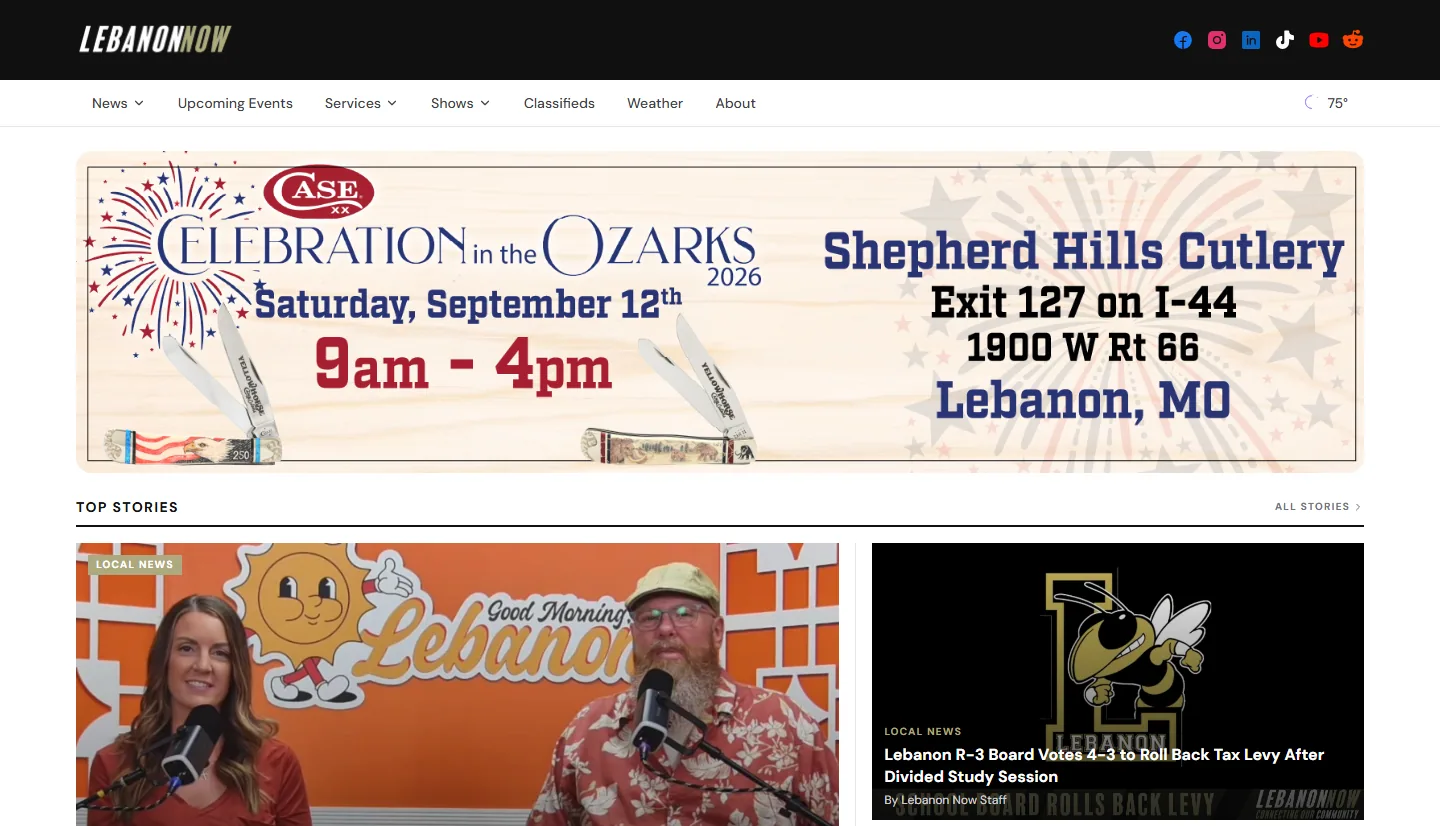
The example below is a hypothetical planning model. Confirm the fields and relationships with your own newsroom before selecting or building the CMS.
| Content | Information to agree on | Acceptance question |
|---|---|---|
| Story | Headline, body, author, original publication date, updates, section, media, corrections | Can an editor correct the story without losing its original identity? |
| Event | Start and end dates, location, organizer, related coverage, archive behavior | What happens when the event is over? |
| Show | Overview, hosts, episode relationship, artwork | Can a reader find all episodes from the show page? |
| Episode | Title, show relationship, release date, description, player or media link | Can the team publish an episode without recreating the show? |
For article markup, make the visible author, headline, publication date, and update date agree with the underlying records. Google documents these properties in its Article structured-data guidance. Do not reset every publication date to the redesign date or describe a marketing guide as a news report.
Make the editorial workflow part of the demo
Ask the person who publishes daily to perform a small set of real tasks in a trial system: prepare a draft, preview it on a phone, change a headline, replace a photo, publish, and correct the live story. Use representative content rather than empty demonstration pages.
Decide who can draft, approve, publish, and change already-published material. A one-person publication may need a simple workflow. A newsroom with freelancers and several editors may need permissions and review history. These requirements belong in the scope; a custom CMS is one possible implementation, not an automatic requirement.
Agree on scheduled publication, corrections, image credits, and urgent updates where needed. The test is practical: can the team complete its everyday work, with understandable access and recovery procedures, without sending every change to a developer?
Keep useful addresses or map their replacements
Separate a visual redesign from a URL change. Keep a useful existing story address when possible. If it must move, record its corresponding destination and implement a permanent server-side redirect. Google recommends 301 or 308 redirects for permanent moves.
Here is an illustrative URL decision table. These paths are invented examples, not URLs copied from a client archive.
| Existing path | Decision | Check |
|---|---|---|
| /news/library-renovation | Retain the same story address | Original article, author, dates, and images remain available. |
| /story/1842 | Move to /news/library-renovation | The old URL permanently redirects to that article. |
| /shows/community-report | Retain the show page | Existing episode relationships still work. |
A missing story should not silently become an unrelated homepage visit. Agree on retention and replacement decisions with the publication. Check old links from newsletters, social posts, and partner websites as well as the site’s own navigation.
Google’s migration guidance also covers updating internal links and canonical URLs, testing the new site, and monitoring the move. Temporary ranking changes can occur; a redesign proposal should not promise uninterrupted rankings.
Scope the tools readers and revenue teams use
List the integrations the publication already depends on: newsletters, search, audio or video players, sponsorship inquiries, subscriptions, donations, advertising, or membership. Record which system owns the data, who controls the account, and what a reader should see when a task succeeds or fails.
Test the journeys that matter. Can a newsletter subscriber reach an older story? Can a visitor discover the next episode? Does a sponsorship inquiry reach the right person? A subscription flow needs its own acceptance checks if subscriptions are part of the agreed project.
Do not assume a theme, custom build, or CMS includes every commercial tool. Keep essential launch work separate from later improvements. That makes the proposal easier to evaluate and avoids a launch waiting on a feature the newsroom does not need yet.
Agree on launch acceptance before development
Write the acceptance checks into the project plan while the people responsible for content, editorial operations, and technology can still change the scope. Give each check an owner, an expected result, and a place to record exceptions.
- Archive: compare representative source and destination records, including older media, author relationships, dates, and corrections.
- Editorial work: complete the agreed draft, preview, publish, and update tasks using the correct permissions.
- Reader paths: test article reading, sections, internal search, episode browsing, newsletter signup, and any agreed revenue tools.
- URL handling: test retained addresses and every redirect rule against its intended destination.
- Search access: check public pages can be accessed, canonicals identify the intended URLs, and launch-only development restrictions are removed.
- Ownership: confirm account access, backups, recovery responsibility, support, and the handoff documentation.
Include the intended canonical public URLs in the sitemap. Google describes sitemaps as a discovery aid, not an indexing guarantee, in its sitemap guidance. Keep a dated pre-launch search and traffic baseline, then review indexing, broken paths, and newsroom issues after launch.
If new stories continue during migration, agree on a final content synchronization and a fallback decision. The publication should know who can authorize launch, what would postpone it, and who owns the first fixes.
Prepare a useful brief for the first conversation
You do not need to choose the platform first. Bring your current website, representative content, approximate archive size, the editorial tasks that cause trouble, and the tools the team wants to keep. Separate required launch work from ideas that can wait.
Ask proposals to explain content import, URL handling, templates, workflow, integrations, ownership, and support as separate deliverables. A design-only quote and a publishing-platform migration are different scopes. The publisher service page explains our approach, and the digital systems service covers broader operational requirements.
Download the news website planning worksheet (CSV) and use it to record responsibilities and open questions before requesting a proposal.